




Billing & Plans
Teampilot bills around two things: a monthly token budget shared by your whole team, and the seats your members occupy. This page explains what counts toward your usage, how credits cover overage, why viewers are free, and how admins manage the plan through Stripe.
Overview
Every Teampilot team runs on a plan that includes a monthly token budget and a number of paid seats. Tokens are the unit the AI consumes when it reads your messages and writes its replies, and they reset each billing period. Seats determine how many members can actively work in the team.
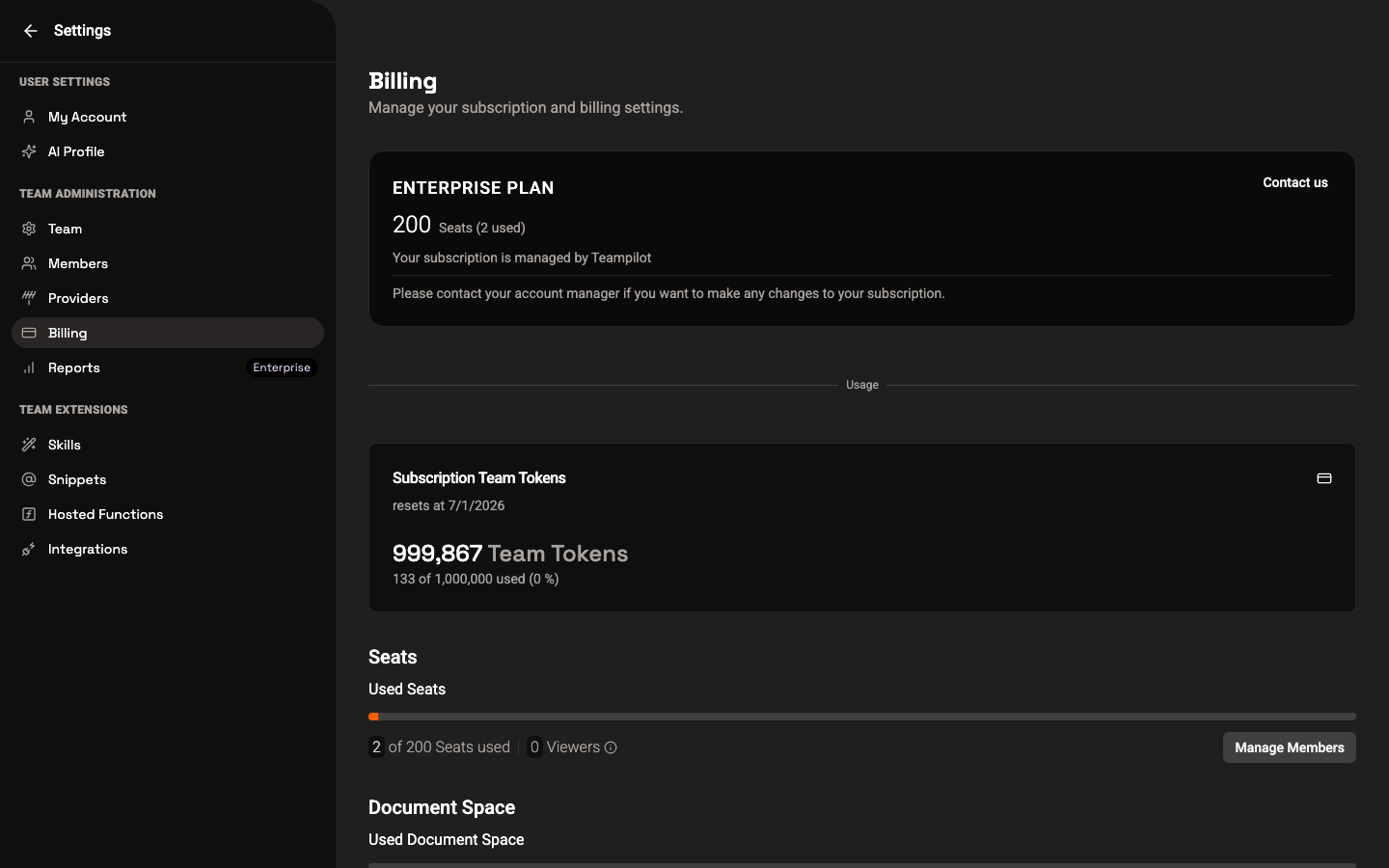
You will find billing under Settings > Billing. The page summarizes your plan, how many of your seats are in use, how much of the monthly token budget remains, any extra credits, and your document storage.
Monthly team tokens
Your plan includes a monthly token budget that the entire team shares. Tokens are spent whenever someone chats with the AI, runs a launchpad, or uses tools like web search and image generation. The budget refills at the start of each billing period.
How fast you use tokens depends mostly on which model you pick. More capable models consume more tokens per message, and long conversations or large file uploads use more than short ones.
- The budget is shared across the whole team, not split per person.
- More capable AI models cost more tokens per message than lighter ones.
- Tools such as web search, file analysis (OCR), and image generation also draw on the budget.
- The remaining budget and its reset date are shown on the Billing screen.
Extra credits
If your team uses up the monthly token budget before the period resets, credits keep you running. Credits are an additional balance that is drawn on automatically once the included budget is exhausted, so chats do not suddenly stop mid-month.
- Credits are used automatically after the monthly budget runs out.
- They carry your team through overage without interrupting work.
- Admins can top up credits from the Billing screen.
Seats and viewers
A team has three roles, and only two of them affect billing. Admins and members each occupy a paid seat, while viewers are completely free and never use a seat.
| Role | What they can do | Uses a paid seat? |
|---|---|---|
| Admin | Full control, including billing and team settings | Yes |
| Member | Creates and works in chats normally | Yes |
| Viewer | Read-only access to shared content | No (free) |
This means you can invite as many read-only people as you like at no extra cost. Use viewer seats for stakeholders who only need to follow along, and reserve paid seats for people who actively chat and build. Roles are managed in Team Management, and what each role can access is covered in Permissions.
Usage reports
To see where your tokens and seats are going, admins can open detailed usage reports. These break down token consumption, seat usage, and document storage over time, which helps you plan capacity and spot heavy usage.
- Token usage across the team and over the billing period.
- Seat usage: how many paid seats are occupied.
- Document and file storage consumed by your chats and launchpads.
Detailed usage reporting is available on Enterprise plans. You can reach reports from the settings navigation under Reports.
Managing your plan
Admins manage subscriptions through Stripe. From the Billing screen, the Manage Plan button opens the secure Stripe billing portal, where you can change your subscription, update payment details, and view invoices.
- 1Go to Settings > Billing (admins only).
- 2Review your current plan, seats, and remaining token budget.
- 3Click Manage Plan to open the Stripe billing portal.
- 4Upgrade, downgrade, add seats, top up credits, or update payment details there.
- 5Return to Teampilot - changes apply to your team automatically.
For larger teams that need custom token budgets, advanced usage reports, or specific data-protection arrangements, the Enterprise plan is the right fit. Contact sales to set it up rather than self-serving through Stripe.